
ICT: Diary
D: 73 W: 11
| < | February 2016 | > | ||||
| Sun | Mon | Tue | Wed | Thu | Fri | Sat |
|---|---|---|---|---|---|---|
| 1 | 2 | 3 | 4 | 5 | 6 | |
| 7 | 8 | 9 | 10 | 11 | 12 | 13 |
| 14 | 15 | 16 | 17 | 18 | 19 | 20 |
| 21 | 22 | 23 | 24 | 25 | 26 | 27 |
| 28 | 29 | |||||
[ < ]
Monday, 22 February 2016 [ >
]
Ubuntu
Prompt appeared stuck at:
[OK] Starting LSB: AppArmor initialzation
This was resolved with a Ctrl-C which allowed the boot to continue.
Once booted a sudo dpkg --configure -a and sudo apt-get update resolved the upgrade.
dcrowson@alfresco-sf3:~$ uname -a; lsb_release -a
Linux alfresco-sf3 4.4.0-6-generic #21-Ubuntu SMP Tue Feb 16 20:32:27 UTC 2016 x86_64 x86_64 x86_64 GNU/Linux
No LSB modules are available.
Distributor ID: Ubuntu
Description:    Ubuntu Xenial Xerus (development branch)
Release:        16.04
Codename:       xenial
When installing software as part of the installation, services are added to start those applications on boot. To disable this use update-rc.d
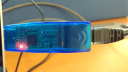
usb ethernet adpaters

Had two network adapters as shown, they both had the same mac address 00:e0:4c:53:44:58 so of course networking was borked…
$Id: dates.htm,v 1
$Id: diary,v 1.38 2025/01/01 22:43:54 fred Exp $